
Designing with AI Agents
Retooling and upskilling for the modern era of product design
AI Agent projects
Who
Cisco, Personal
When
2025-2026
Role
Senior product designer
Webex Contact Center Workforce Management
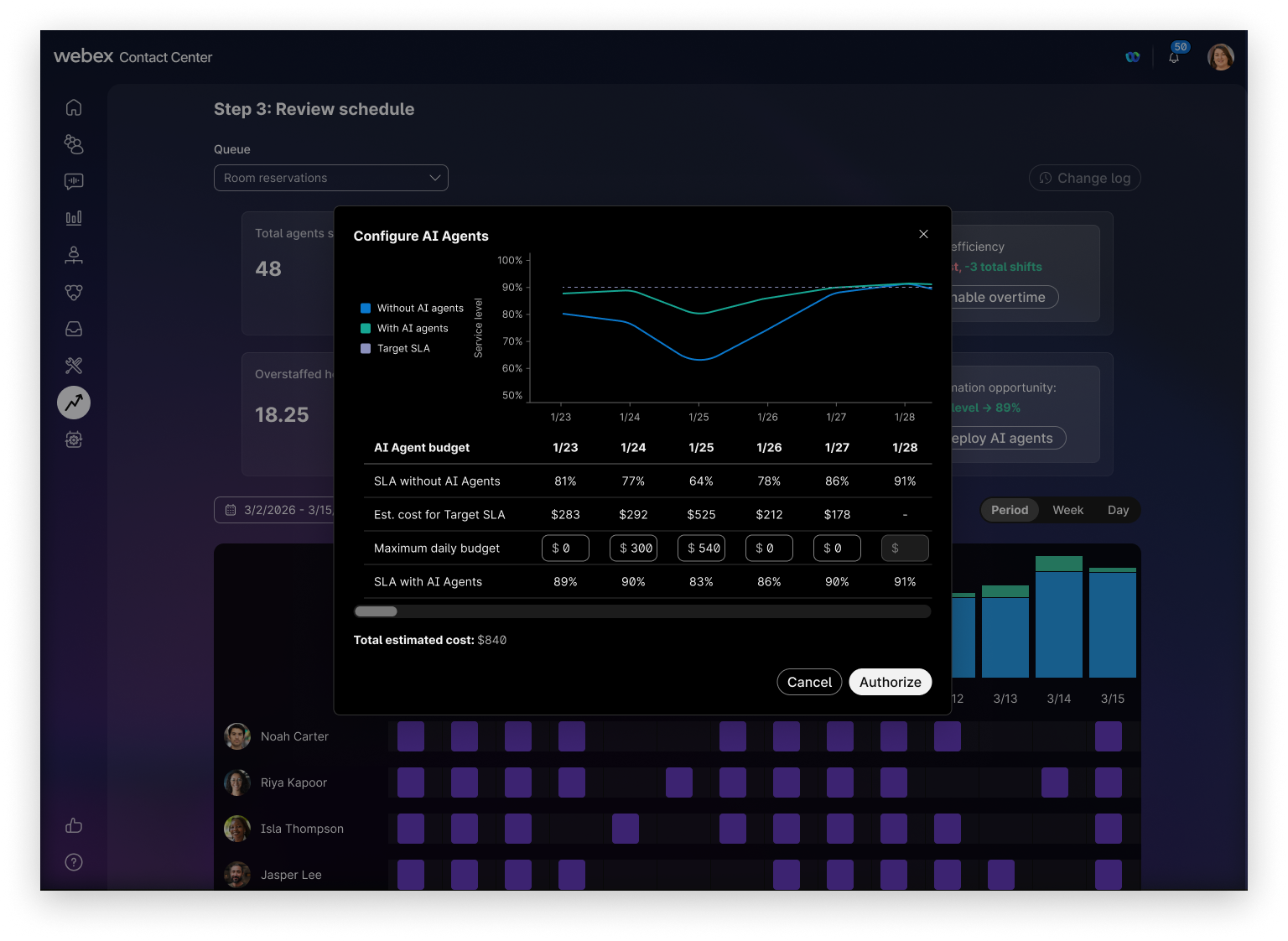
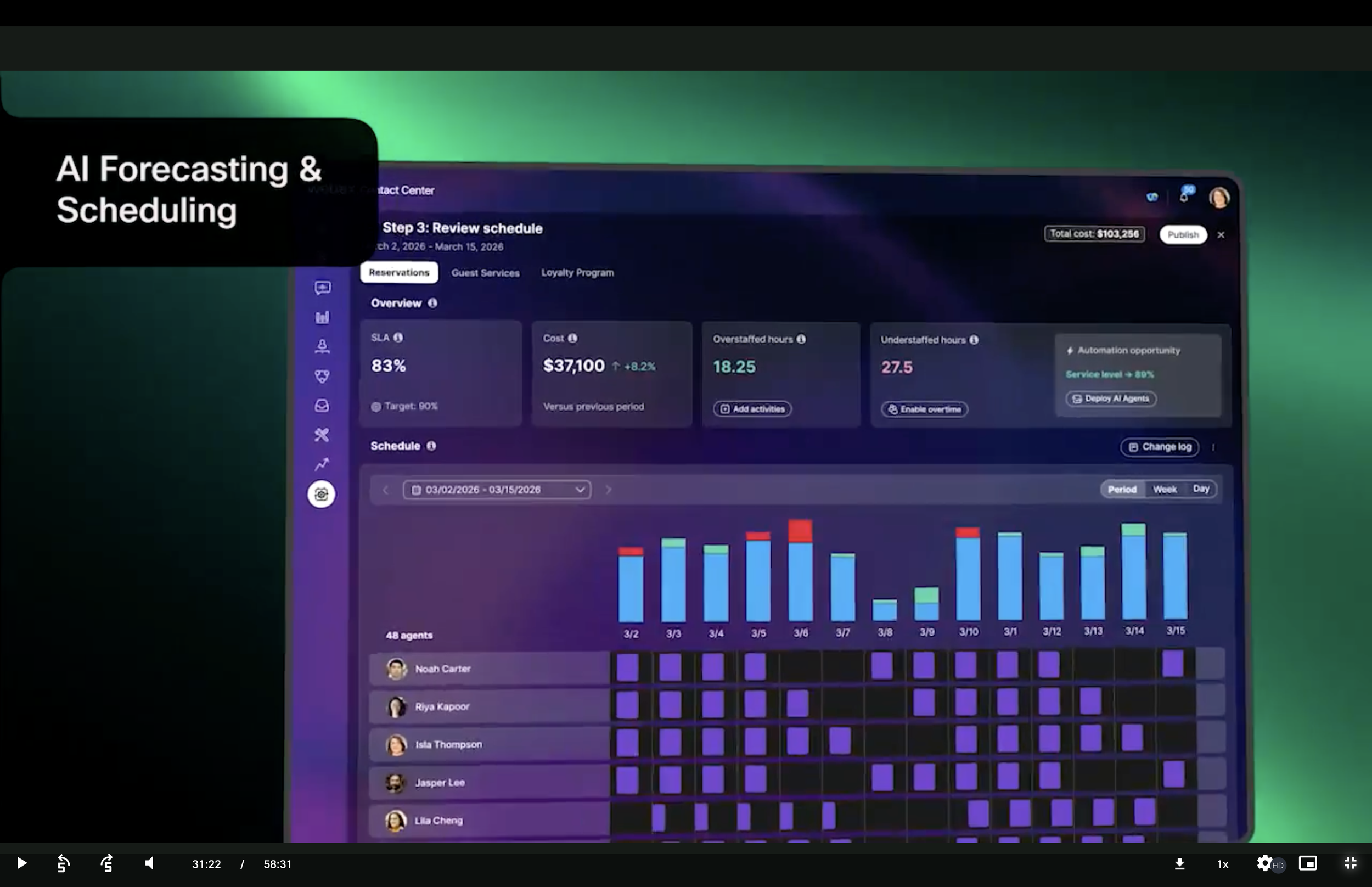
Like many designers who attended ConFig in 2024, I was excited to experiment with the potential of Figma Make. By 2025, I was one of the first designers in my org to use Figma Make as the primary design tool for a new product: the Workforce Management (WFM) tool for Webex Contact Center.
As one of the pioneering designers in this fast-changing world, I had to learn and quickly adapt to the challenges of prompt-based design and then share those lessons with my team. I learned how to write targeted and specific intent-based prompts, how to divide and conquer prototypes into smaller modules and then link them later, and that sometimes it’s necessary to step back out of the LLM interface and create a spec using classic Figma.
While I worked on this product design challenge, I continued to work with my design system team to improve our metadata and documentation so that our design system components could more easily be consumed inside of Figma Make.
Charting Library Cursor Skill
As I entered 2026, our design flow paradigms had shifted so much that I needed to train our LLM-based design tools to know our design system as well as I do. And from the lessons I learned above while working with Figma Make, the training needed to be tool-agnostic.
If you’ve read my case study on Charting Libraries, you know that I spent many pre-AI years designing chart components that could be easily manipulated to tell a specific story about their trends. With ample existing documentation to train a model on, this was a prime candidate for a SKILL.md that could be created in Cursor and imported into any other LLM-based design tool.
Using Cursor’s Planning Mode and Agent Modes, I prompted and populated a knowledge base that described our many chart types, card layouts, typefaces, color palettes, and overall best practices and rolled them up into a Skill file that “understands” what a chart should look like within the Momentum Design System.
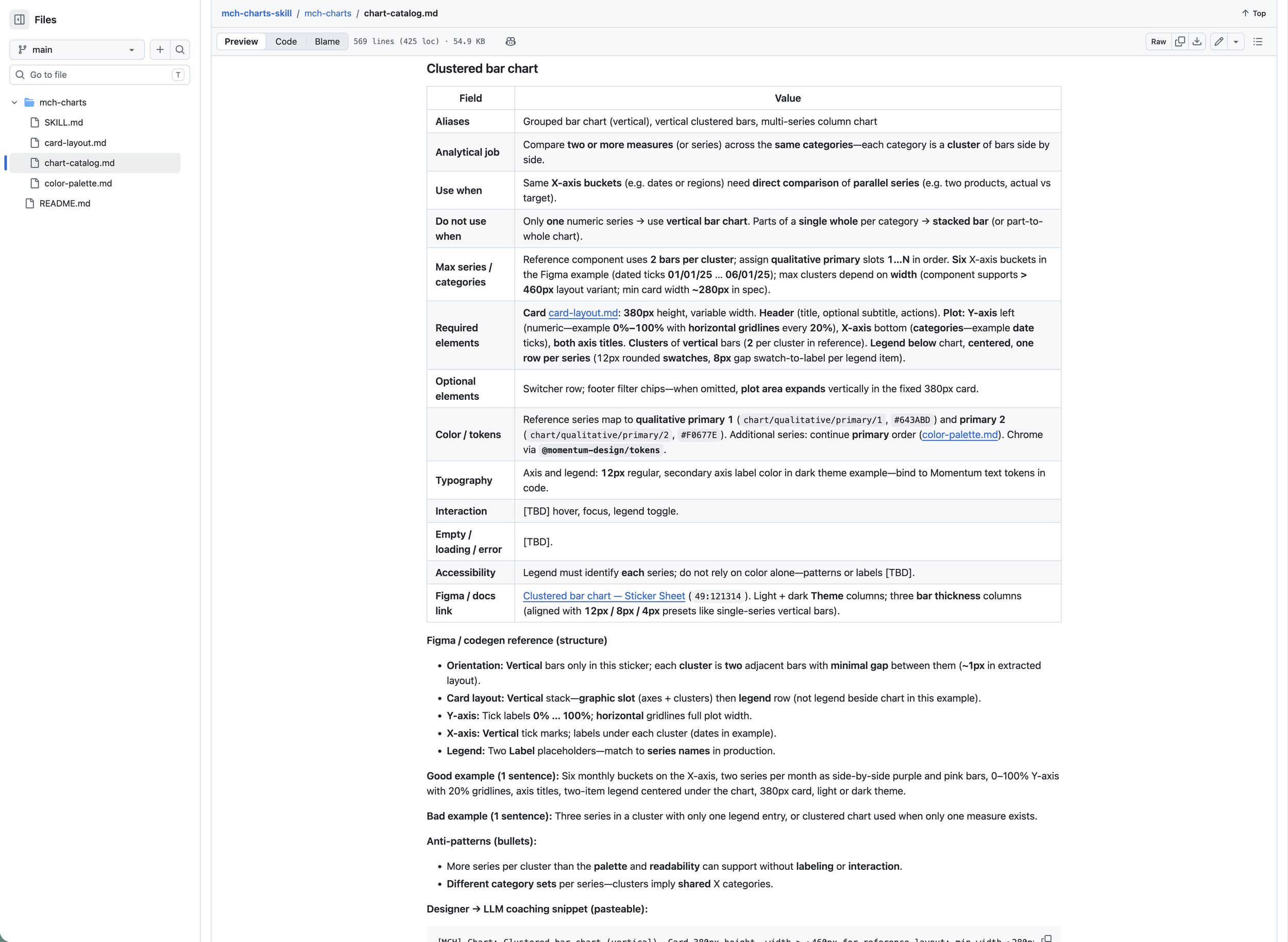
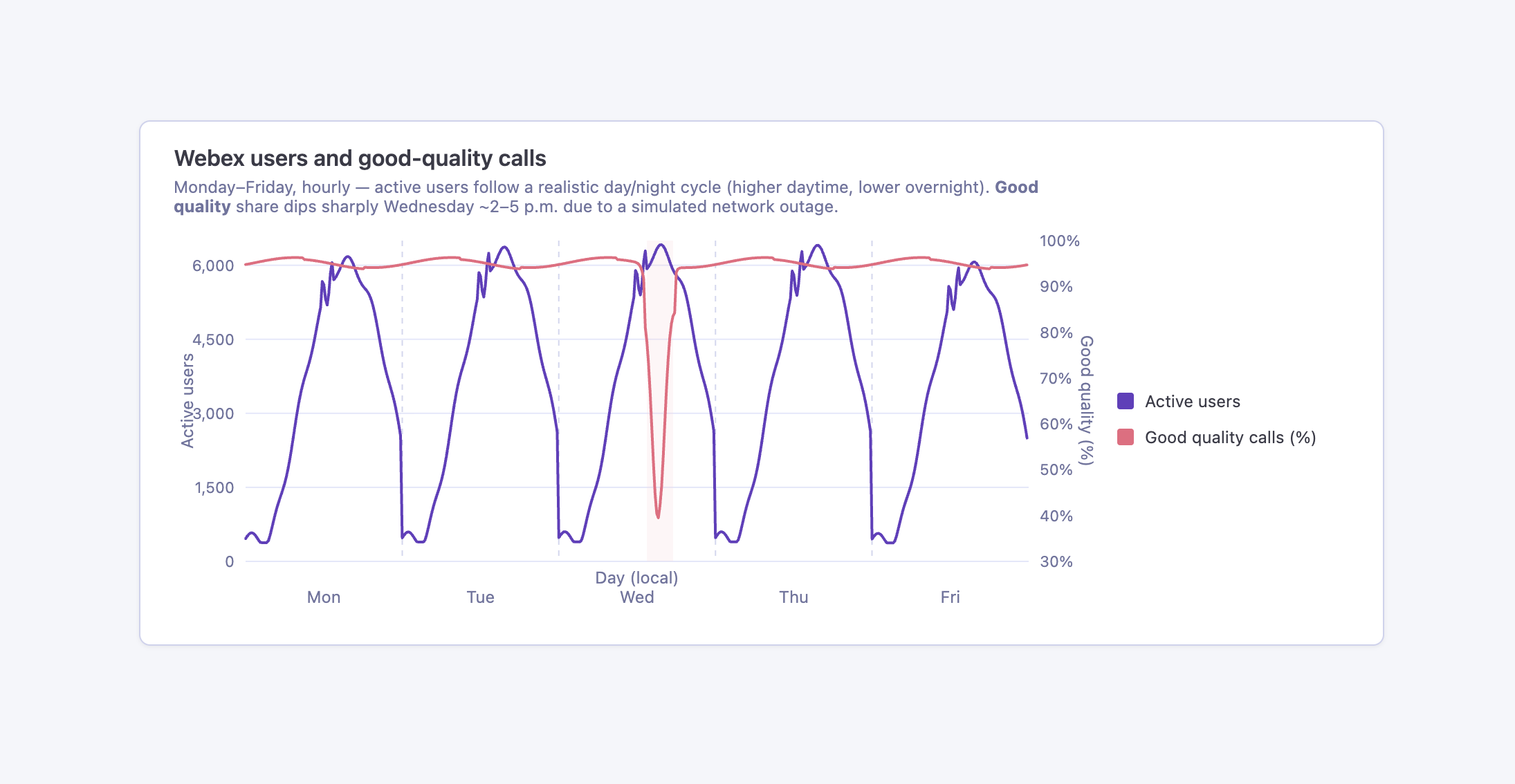
The result: when invoking the mch-charts skill in a Cursor prompt, any colleague can describe the subject of a chart and any optional details that might help specify a layout or trend that they desired. The output is an html rendering of their chart along with sample data according to their specifications.
The example shown here was generated from a prompt that asked for “a chart showing Webex usage and percentage of good quality calls throughout the week, showing a distinct drop in quality on Wednesday afternoon.” Cursor handled the additional details, like assigning a secondary axis, giving a realistic cyclical trend per day, naming and labeling the legend, and providing a descriptive subtitle on its own.
While there are still some subtle tweaks that would improve the aesthetics of this chart, it’s perfect for generating a quick example of a trend that would have taken much more time to manually adjust using our Figma component library.
AdvoCAT, my personal agent
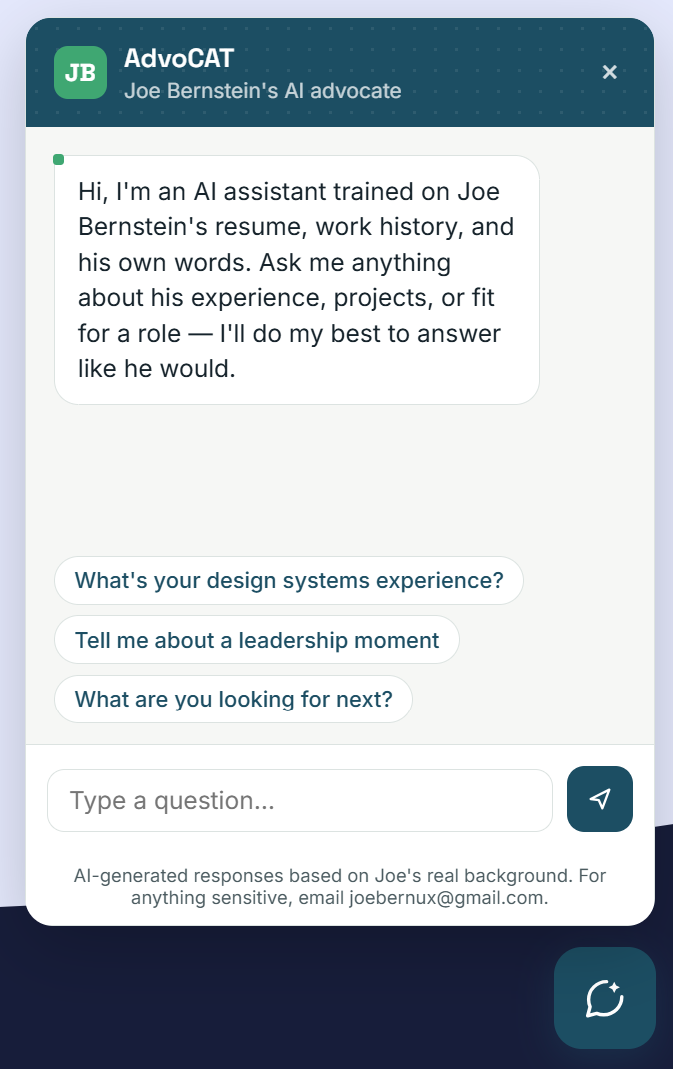
As a visitor to my portfolio today, you might be a prospective employer trying to learn more about who I am as a professional. As I began looking for my next role in the summer of 2026, I noticed how often I was being asked to present my professional history in different formats on one application after another.
If I’ve learned anything from the previous two projects above, it’s that an ounce of preventative metadata is worth a pound of brute force cure. There are many useful ways I can save myself time in the job search if I can train an AI agent to know and understand who I am and what I’ve accomplished in my career. It’s an ongoing process to automate each part of the process, but as a starting point, I built AdvoCAT, a personal assistant chatbot that you can find at the footer of this page.
To create AdvoCAT, I used Claude’s planning and code execution tools to advise me on the process. I uploaded my resume, created a long-form markdown file with my full job history, job roles, lessons learned, and STAR stories. I also provided some markdown files to give it a better understanding of my personality and behavioral traits, and some guardrails to protect my privacy.
After Claude helped me generate the chat widget, I set up a Vercel app to host it, and then embedded it here into my portfolio site. Give it a try.